Each customer stays in their own house
Workspaces never share documents, chats, or billing.
Multi-tenant chat, one platform
Publish a branded assistant, ground it in your own documents, and keep each customer in its own workspace.
BotBeacon Assistant
Usually replies instantly
Each customer stays in their own house
Workspaces never share documents, chats, or billing.
Sign-in is built to be forgotten
Passwords are hashed before they are stored. They are not kept in the clear.
Choose a plan without handing over a card
Checkout records the intent. Payment is confirmed by hand.
Demo
This is the live embed on a sample site. Open the chat, or start a voice call, the same way a visitor would.
Product
Screens below are from the running product: the embed, the workspace, and the operator view.
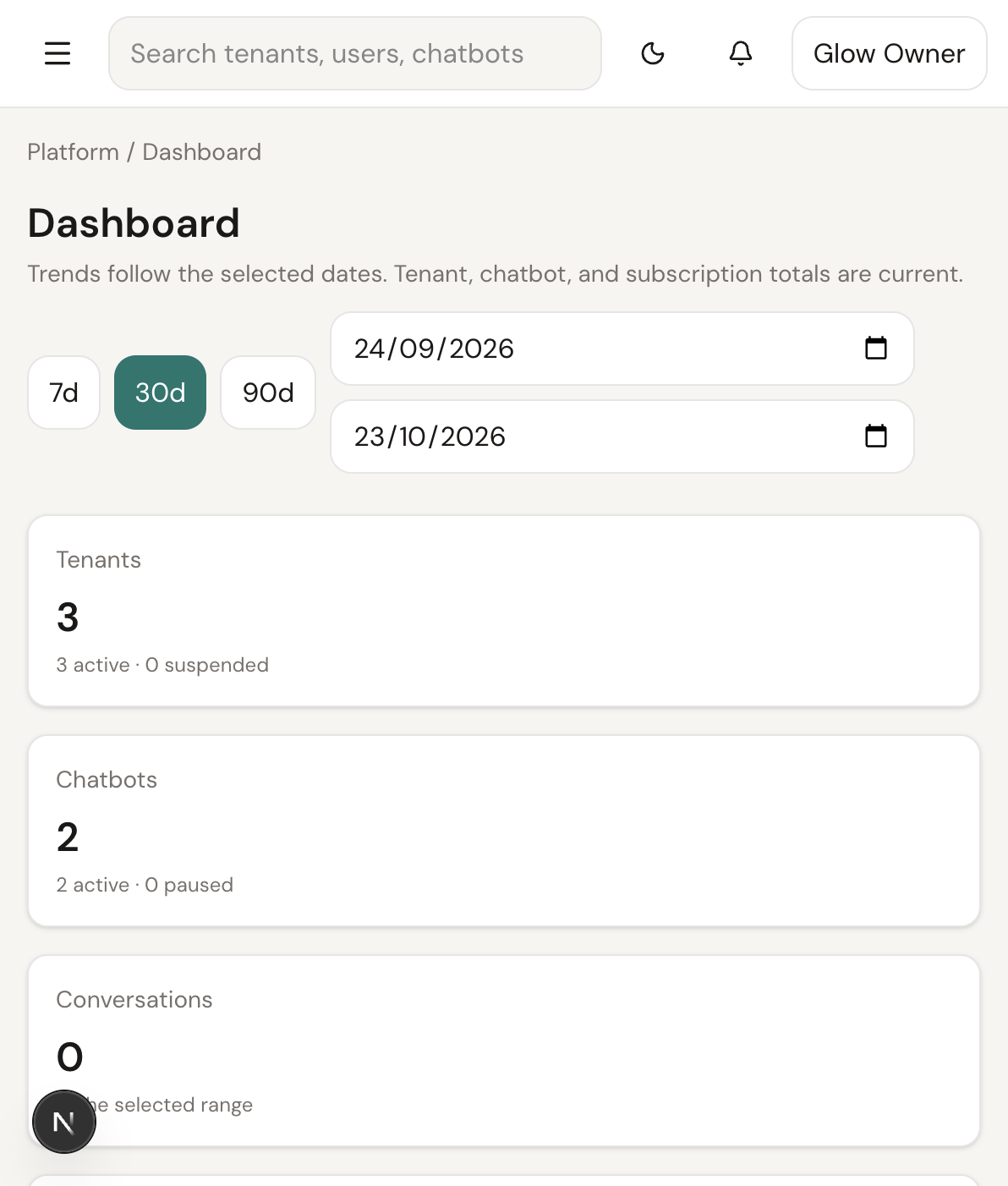
01
See tenants, usage, and plan mix without opening each workspace.
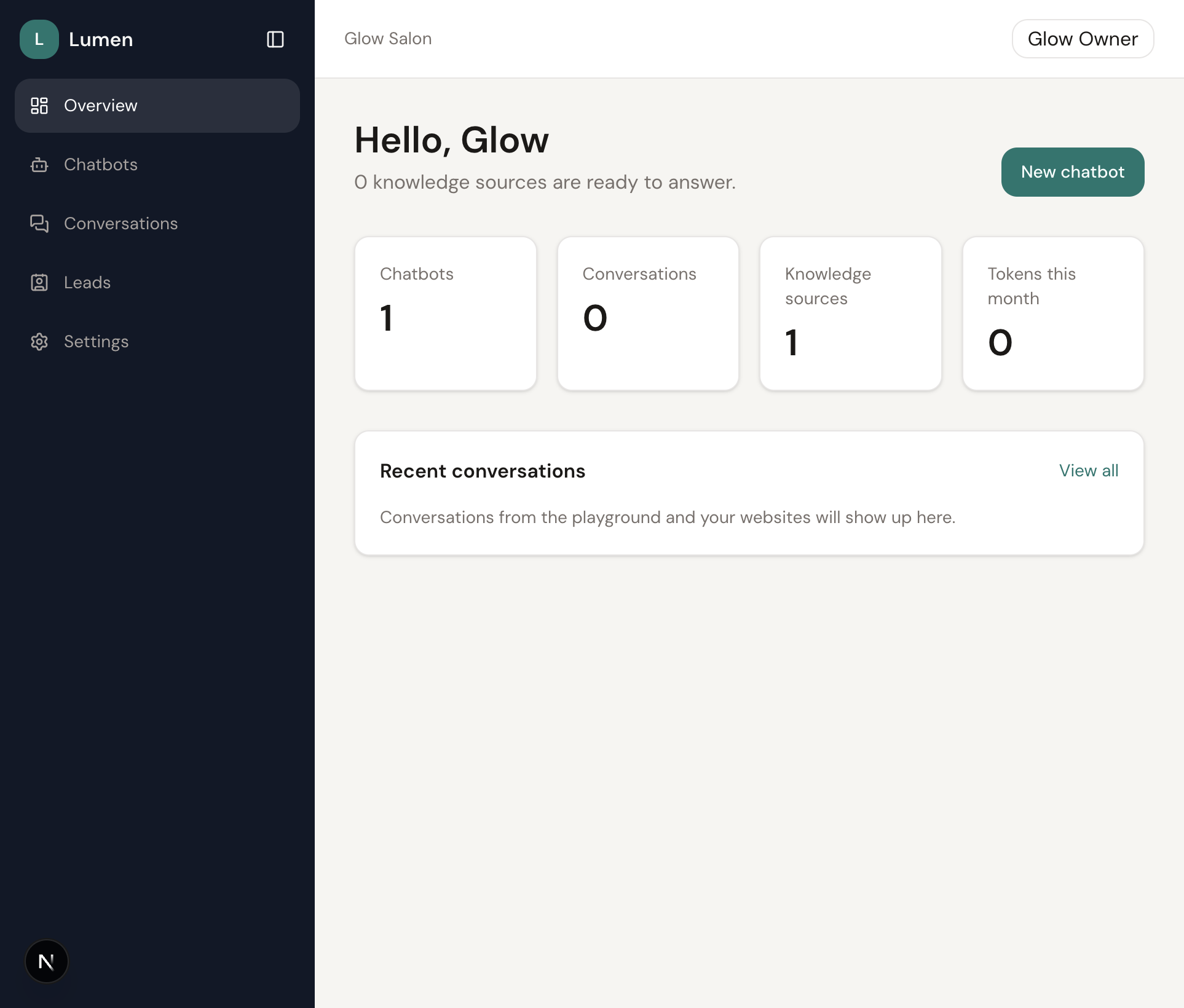
02
Owners manage bots, conversations, and leads from one home.
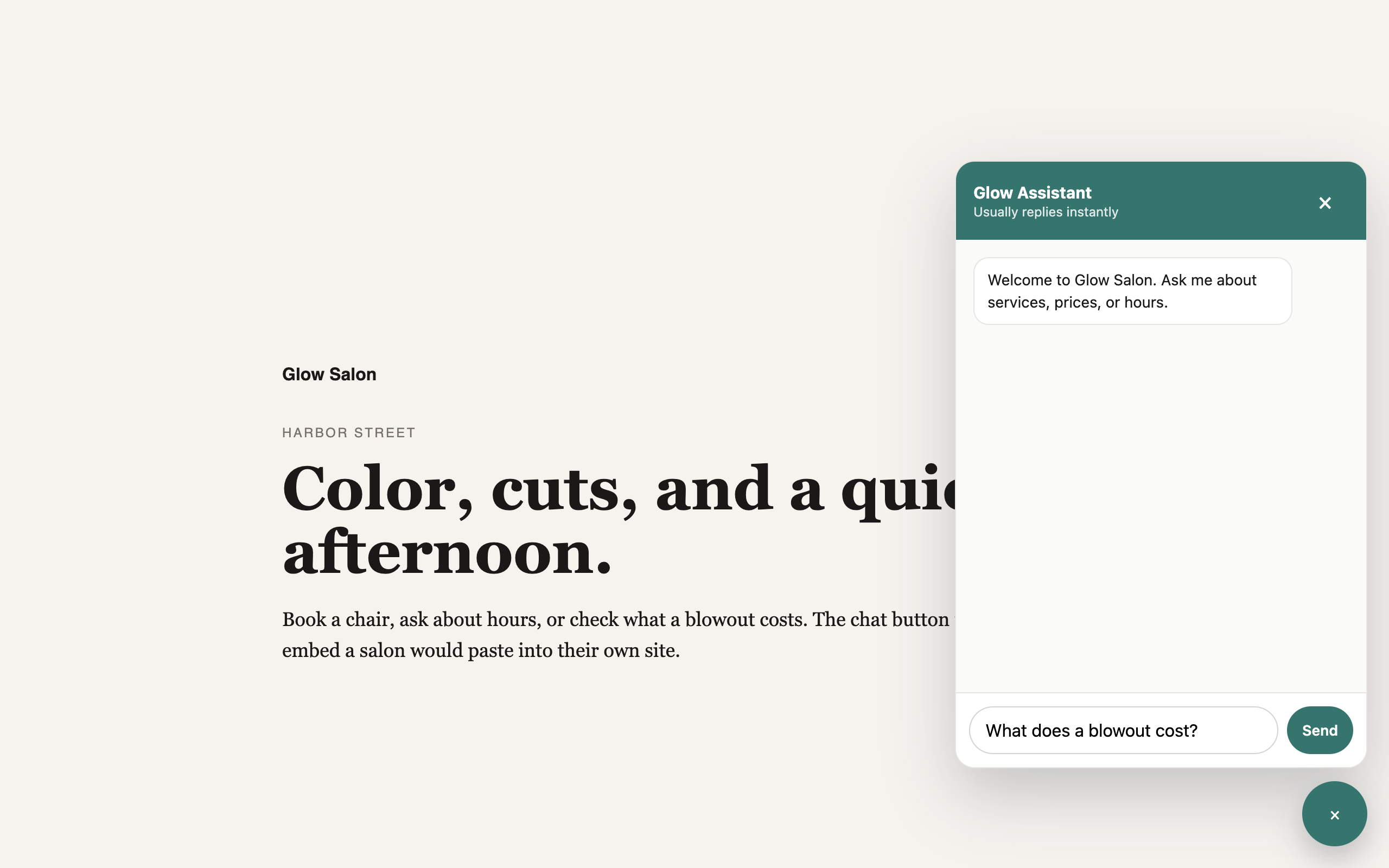
03
The same assistant embeds on a customer site, including live voice when the plan allows it.
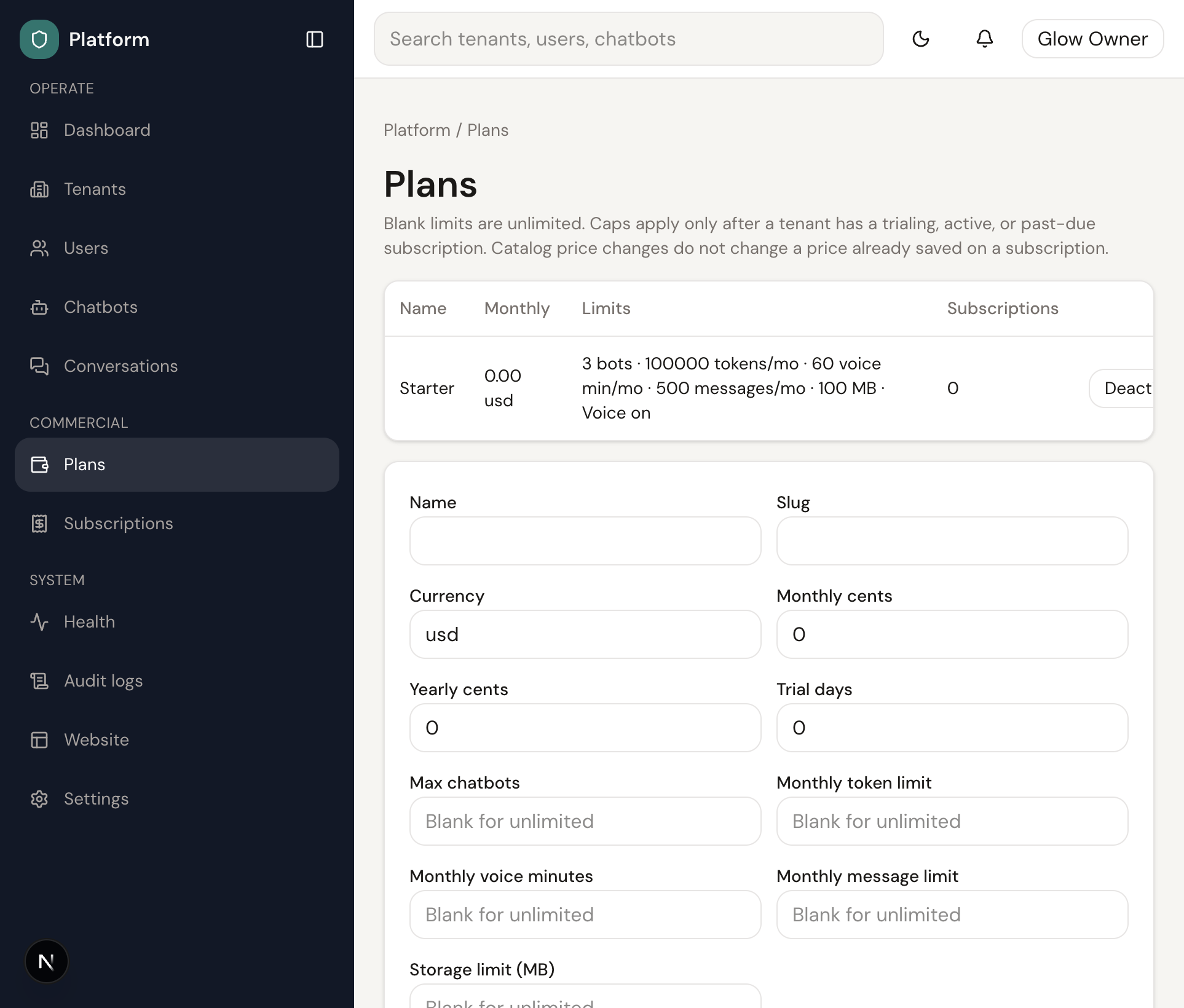
04
Caps for bots, messages, voice minutes, and storage live on the plan, and apply when a subscription is active.
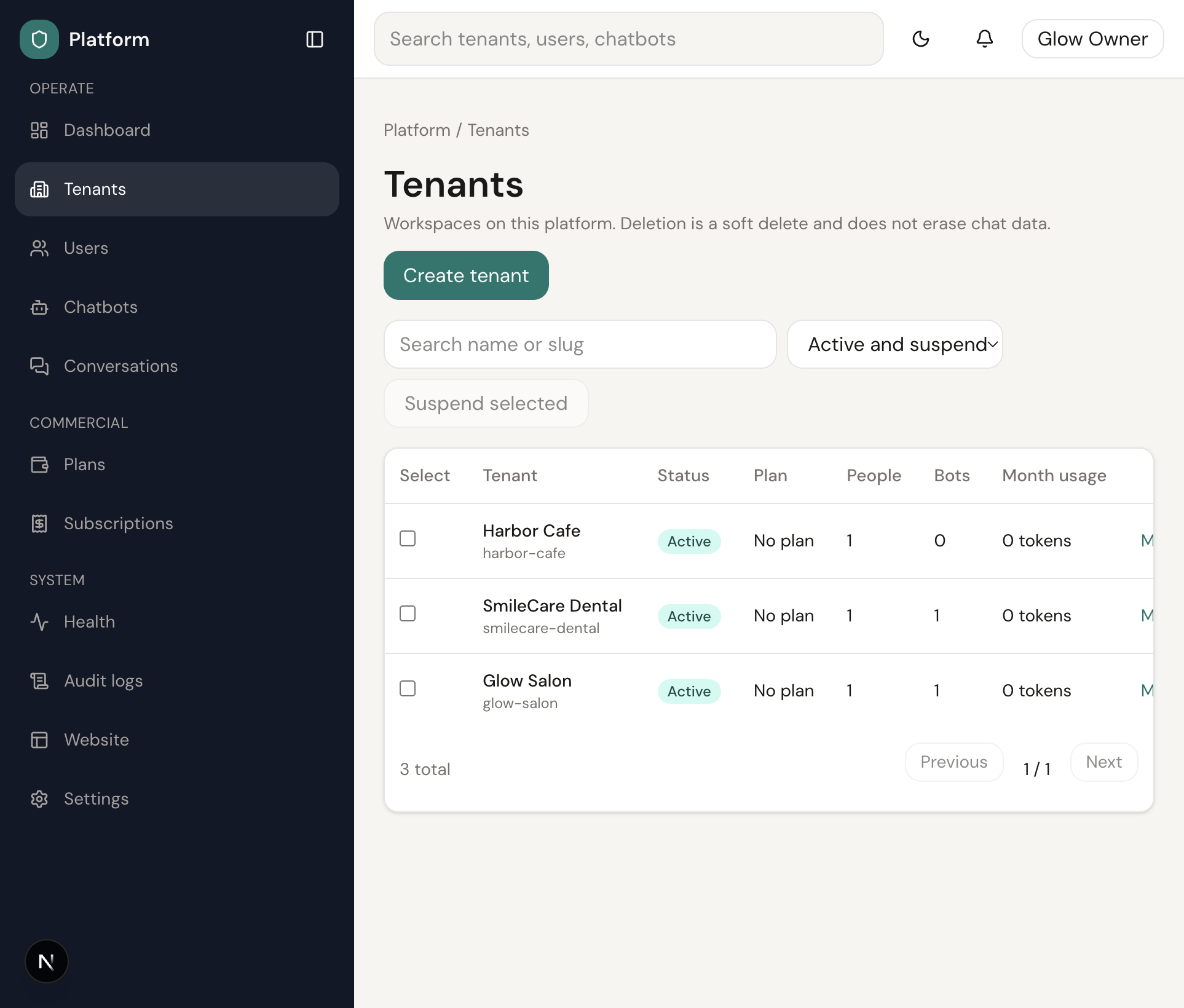
05
Create a workspace by hand, assign a plan, or let a visitor finish signup on the marketing site.
Stories
★★★★★
“We stopped pasting the same answers into email. The assistant stays inside the documents we uploaded.”
Pricing
No active plans are published yet.
FAQ
BotBeacon gives each business its own chatbot workspace. You upload the material the assistant should know, embed it on a site, and keep that customer’s chats separate from everyone else’s.
Every customer is a workspace with its own members, bots, documents, and conversations. One tenant cannot see another tenant’s knowledge or messages.
A visitor can place a live voice call with the assistant, the way they would start a phone call. The assistant speaks back in the call. Text chat stays available alongside it when the plan includes voice.
Prices on the site come from the live plan catalog. A trial, when the plan has one, starts with the workspace. Checkout records the plan you chose. It does not charge a card.
Passwords are hashed before they are stored. Knowledge files and chats stay inside the workspace that owns them. This site does not collect card numbers.
After you confirm a plan, you name the workspace and set a password. The platform creates the tenant and signs you in. You can then add a bot and the pages it should learn from.
Each bot has an embed snippet. Paste it on the site that should offer the chat. Analytics on this marketing site stays off until you turn a provider on in website settings.
Use the demo form or the email field on this site. An operator sees the request and can also open a workspace directly from the admin panel.
This site does not take a card payment, so there is no charge here to refund. If you were billed another way, ask the operator in writing within 14 days and include the workspace name.
Yes. The tenant form in the admin panel is unchanged. The marketing site is an extra way for a visitor to choose a plan and create their own workspace.
Contact
Name, email, company, and a message. It is saved for an operator.